

Introduction
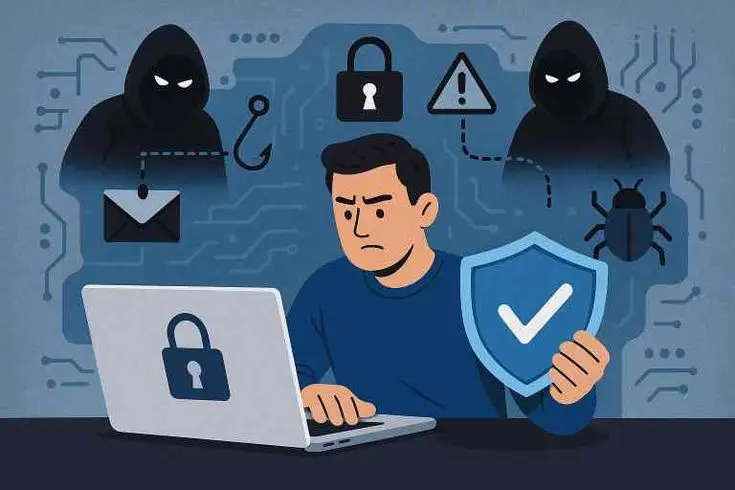
In today’s digital world, almost everyone uses the internet for work, shopping, socializing, or learning. With this convenience comes the responsibility of staying safe online. Cyber threats like identity theft, phishing scams, malware, and hacking are more common than ever. For everyday internet users, understanding how to protect personal information and avoid online risks is no longer optional it’s essential.
Cyber safety is not just for tech experts or businesses; it’s for anyone who uses a device connected to the internet. Even a simple action, like clicking an unknown link or using a weak password, can put your sensitive data at risk. Fortunately, with a few practical strategies, you can significantly reduce these risks.
This article will provide a complete guide on cyber safety tips for everyday internet users. You will learn what cyber safety is, why it matters, step-by-step strategies to secure your online presence, common mistakes to avoid, and expert tips to stay ahead of cyber threats. By the end, you’ll have the knowledge and confidence to browse, shop, and communicate online safely.
What is Cyber Safety?
Cyber safety refers to the practice of protecting yourself, your devices, and your data while using the internet. It involves understanding the risks of online activity and taking proactive measures to avoid cyber threats. Cyber safety includes:
- Protecting personal information from unauthorized access.
- Preventing malware and virus attacks.
- Avoiding scams, phishing, and fraud.
- Using secure connections and software.
Simply put, cyber safety is about being aware of potential dangers online and knowing how to respond effectively. Just as you lock your house at night, cyber safety ensures that your online life is protected from intruders.
Why is Cyber Safety Important?
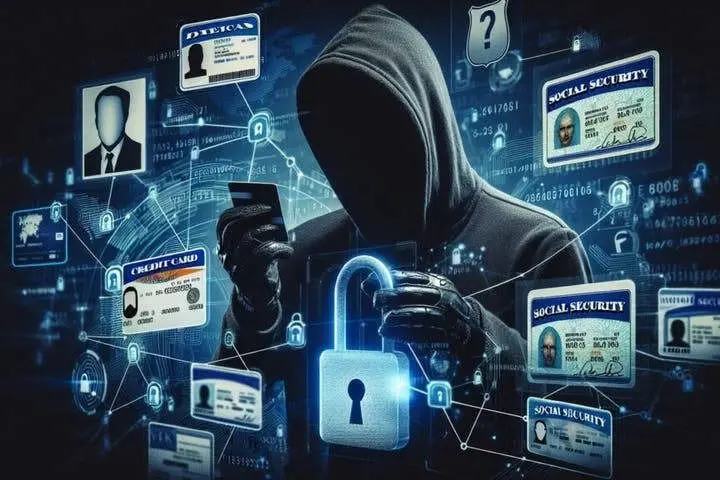
The internet has made life easier, but it has also increased the chances of personal and financial information being compromised. Here’s why cyber safety matters:
- Prevent Identity Theft – Hackers can steal personal information like social security numbers, credit card details, or login credentials.
- Avoid Financial Loss – Unsafe online practices can lead to fraud, phishing attacks, or unauthorized transactions.
- Protect Privacy – Social media and other platforms collect a lot of data. Without proper safety measures, your privacy is at risk.
- Ensure Device Security – Malware and viruses can harm your devices, slow them down, or lead to permanent data loss.
- Maintain Online Reputation – Personal information leaks can damage professional and social reputations.
Cyber safety is essential for everyone who wants to use the internet without constant worry about threats. A small investment in time and knowledge can save you from significant problems.
Detailed Step-by-Step Guide
1. Use Strong, Unique Passwords
- Avoid simple passwords like “123456” or “password.”
- Use a mix of letters, numbers, and symbols.
- Consider using a reputable password manager to store and generate passwords.
- Change passwords regularly and never reuse the same password across multiple accounts.
Example: Instead of “John123,” use “J0hn$ecure2026!”
2. Enable Two-Factor Authentication (2FA)
- Adds an extra layer of security beyond passwords.
- Requires a verification code sent via SMS or email when logging in.
- Highly recommended for email, banking, and social media accounts.
3. Keep Software and Devices Updated
- Regular updates fix security vulnerabilities.
- This includes operating systems, browsers, apps, and antivirus software.
- Enable automatic updates whenever possible.
4. Secure Your Wi-Fi Network
- Use strong passwords for your Wi-Fi.
- Avoid public Wi-Fi for sensitive transactions like online banking.
- Consider using a virtual private network (VPN) for encrypted connections.
5. Be Careful with Emails and Links
- Don’t click links from unknown or suspicious sources.
- Verify email senders before downloading attachments.
- Watch out for phishing attempts that ask for personal information.
Example: A fake bank email may say your account is locked. Always verify with the bank directly.
6. Protect Personal Information on Social Media
- Avoid sharing sensitive information like home address, phone number, or travel plans.
- Review privacy settings regularly.
- Think twice before accepting friend requests from strangers.
7. Backup Important Data
- Use cloud storage or external hard drives to back up files.
- Regular backups ensure you can recover data if devices are hacked or damaged.
8. Use Antivirus and Anti-Malware Software
- Protects your devices from malicious software.
- Perform regular scans to detect threats early.
- Keep software updated to block new threats.
9. Practice Safe Online Shopping
- Shop only on secure websites (look for HTTPS).
- Avoid saving card information on multiple sites.
- Check reviews and ratings of online stores before making purchases.
10. Educate Yourself About New Threats
- Cyber threats evolve constantly.
- Stay updated on common scams, ransomware, and malware trends.
- Follow credible sources for cybersecurity news.
Benefits of Cyber Safety
- Protects Personal Information – Keeps your identity and financial data safe.
- Prevents Financial Loss – Reduces the risk of scams and fraud.
- Maintains Device Health – Prevents malware from slowing down or damaging devices.
- Enhances Online Confidence – Feel safe browsing, shopping, and socializing online.
- Preserves Reputation – Prevents sensitive information leaks that could harm your personal or professional image.
- Peace of Mind – Knowing you are protected reduces stress and worry.
Disadvantages / Risks if Ignored
- Identity theft and fraud.
- Unauthorized access to email, social media, and bank accounts.
- Malware, viruses, and ransomware attacks.
- Loss of sensitive data or files.
- Damaged reputation due to leaked personal information.
- Increased vulnerability to phishing and cyberbullying.
Common Mistakes to Avoid
- Using weak or repeated passwords.
- Clicking unknown links or downloading unverified attachments.
- Ignoring software updates.
- Sharing too much personal information online.
- Using public Wi-Fi for banking or sensitive transactions.
- Forgetting to backup important files.
- Not using antivirus or anti-malware protection.
- Assuming “it won’t happen to me”—cyber threats can target anyone.
FAQs
1. What is the easiest way to stay safe online?
Use strong passwords, enable two-factor authentication, and update devices regularly. These small steps prevent most common cyber threats.
2. Can public Wi-Fi be safe?
Public Wi-Fi can be risky, especially for sensitive tasks. Use a VPN and avoid online banking on public networks.
3. How can I spot phishing emails?
Look for poor grammar, urgent messages, unknown senders, and suspicious links. Always verify the source before taking action.
4. Do I need antivirus software if I’m careful online?
Yes. Even careful users can encounter malware accidentally. Antivirus software provides an extra layer of protection.
5. How often should I change my passwords?
Every 3–6 months is recommended. Always update immediately if you suspect an account has been compromised.
6. Is cyber safety only for adults?
No. Everyone, including teens and children, should practice cyber safety. Parents can guide children using parental controls and education.
7. Can social media compromise my safety?
Yes. Sharing too much information can expose personal details, locations, and habits to malicious users.
8. What is the most common online threat today?
Phishing attacks and ransomware are currently among the most common threats for everyday users. Awareness and caution are key.
Expert Tips & Bonus Points
- Regularly Review Privacy Settings: Social media platforms often change settings; stay updated.
- Use a Password Manager: Securely stores complex passwords and generates new ones.
- Monitor Your Accounts: Check bank and credit accounts for unusual activity.
- Avoid Oversharing: Limit personal information on forums and social media.
- Secure Mobile Devices: Use a lock screen, fingerprint, or face recognition.
- Educate Family Members: Teach children and elderly family about safe internet practices.
- Log Out on Shared Devices: Always log out after using public or shared computers.
- Test Your Knowledge: Take online quizzes or tutorials on cybersecurity awareness.
Conclusion
Cyber safety is not just a technical concern; it’s an everyday responsibility for anyone using the internet. With hackers and cybercriminals becoming increasingly sophisticated, staying protected requires awareness, vigilance, and proactive measures. By following cyber safety tips for everyday internet users, you can secure your personal information, protect your devices, and enjoy online activities without fear.
The steps outlined strong passwords, two-factor authentication, careful browsing, secure Wi-Fi, and regular backups are practical, easy to implement, and highly effective. Additionally, educating yourself and your family, monitoring accounts, and practicing cautious online behavior will greatly reduce the risk of cyber threats.
Remember, cyber safety is a continuous journey, not a one-time task. The internet will continue to evolve, and so will the threats. By staying informed and adopting safe habits, you empower yourself to navigate the digital world confidently and securely. Protect your data, protect your peace of mind, and make cyber safety a daily practice.
